
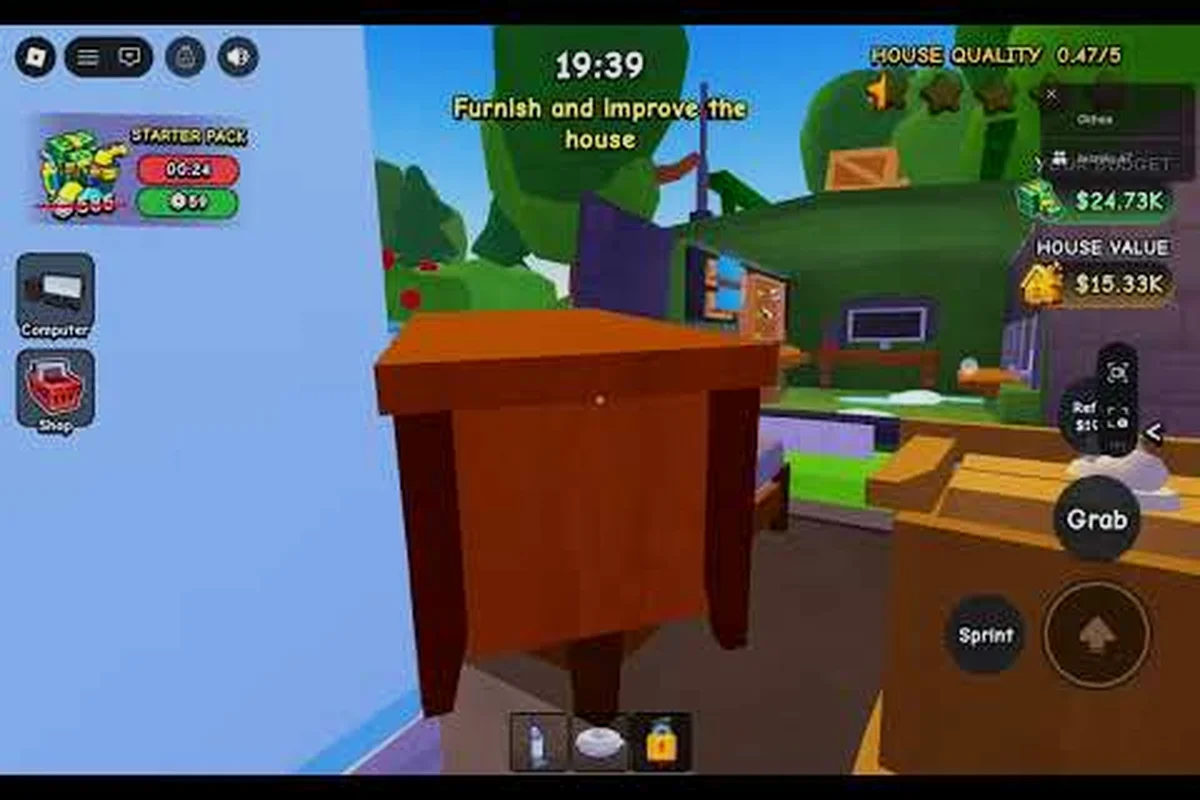
Every dollar you spend on tools in Flip a House either accelerates your next flip or quietly drains your profit margin. The flip a house best gear for beginners setup prioritizes speed and coverage over raw power, because early houses are small enough that expensive upgrades rarely pay for themselves. This tier list breaks down exactly which purchases matter in your first ten flips and which ones can wait until you are flipping larger properties.
CaptainHowTo's tutorial covers community servers rather than gear, which is a reminder that most early tool advice online is community-reported; the level gate itself decides when a tier actually unlocks.
Starter Gear Priorities That Actually Matter
New players often assume that the most expensive tool in the shop is automatically the best choice, but the early game economy punishes that mindset hard. Your first few flips generate modest profits, and sinking that cash into a premium vacuum or a maxed-out scrubber leaves you with no budget for the furniture and paint that actually raise a house's sale price. Instead, the flip a house best gear for beginners strategy focuses on three core tools that deliver the highest return per coin spent.
The Vacuum is your first and most important purchase because it clears the largest surface areas in the shortest time. A basic vacuum handles floors and carpets efficiently, and upgrading it once or twice extends its reach enough to cover small bedrooms without repositioning constantly. Community testing consistently shows that vacuum upgrades reduce total cleaning time by roughly 20 to 30 percent on starter houses, which translates directly into more flips per hour.
The Scrubber fills the gap that the vacuum cannot reach, especially on walls and stubborn stains. While the vacuum handles loose dirt and debris, the scrubber removes the baked-in grime that lowers a house's quality score. Players who skip the scrubber early often find themselves stuck on the final cleaning pass, scrubbing individual spots with a tool that was never designed for that job.
The Brush rounds out your starter kit because it handles detail work around edges, corners, and tight spaces where larger tools cannot fit. A basic brush is cheap and effective, and it prevents the frustrating situation where a single dirty corner blocks your ability to list the house. Together, these three tools form a complete cleaning loop that covers floors, walls, and edges without any wasted overlap.
| Tool | Early Priority | Why It Matters | Upgrade Timing |
|---|---|---|---|
| Vacuum | Highest | Clears floors and carpets fast | Upgrade once after first 3 flips |
| Scrubber | High | Removes wall stains and grime | Upgrade after vacuum reaches level 2 |
| Brush | Medium | Handles corners and edges | Keep basic until mid-game |
| Mop | Low | Redundant with scrubber early | Skip until larger houses appear |
| Trash Bag | Situational | Speeds up debris collection | Buy only if clutter slows you down |
The table above reflects the consensus from player experience across multiple community discussions, though exact upgrade costs may vary by platform and version. The key insight is that coverage beats power in the early game, because a tool that reaches more area saves more time than a tool that cleans slightly faster in a smaller radius.
Building Your First Gear Tier List
A flip a house gear tier list helps you avoid the trap of buying upgrades in the wrong order. The game's upgrade shop presents every tool as equally tempting, but the reality is that some purchases return their cost within two or three flips while others take ten or more flips to break even. Understanding this difference is the foundation of smart spending.
S-Tier gear for beginners includes the vacuum and the scrubber, because these two tools handle the vast majority of cleaning tasks on starter houses. A vacuum with one or two upgrades clears entire rooms in a single pass, while a scrubber with a basic upgrade handles the wall stains that would otherwise require multiple passes with a weaker tool. These purchases feel good immediately because you can see the time savings on your very next flip.
A-Tier gear includes the brush and the trash bag, which are useful but situational. The brush shines on houses with lots of furniture and tight corners, while the trash bag speeds up the debris collection phase on cluttered properties. Neither tool is essential for every flip, but both prevent specific bottlenecks that can slow down an otherwise smooth run.
B-Tier gear covers the mop and any cosmetic upgrades that do not affect cleaning speed or coverage. The mop overlaps heavily with the scrubber on most surfaces, and cosmetic upgrades provide no functional benefit at all. These purchases are not bad, but they should never come before your core tools are upgraded.
| Tier | Tools | Beginner Verdict | Break-Even Point |
|---|---|---|---|
| S | Vacuum, Scrubber | Buy and upgrade first | 2-3 flips |
| A | Brush, Trash Bag | Buy when budget allows | 4-6 flips |
| B | Mop, Cosmetics | Skip until mid-game | 8+ flips |
| C | Premium skins, minor stat boosts | Avoid entirely early | Rarely pays off |
This flip a house gear tier list is based on the principle that time is your most valuable resource in the early game. Every second you save on cleaning is a second you can spend painting, furnishing, or starting the next flip, and those activities generate far more profit than marginal tool upgrades.
Endgame Gear Targets Worth Planning Around
While beginners should focus on the basics, knowing what the flip a house endgame gear looks like helps you avoid wasting coins on mid-tier upgrades that you will replace anyway. The endgame setup revolves around maximizing coverage, speed, and durability so that large houses can be cleaned in a single efficient pass without stopping to repair or reposition tools.
The Sprint Upgrade is the single most impactful endgame purchase because it increases your movement speed between rooms. On large properties, the time spent walking from one cleaning area to the next can exceed the time spent actually cleaning, and the sprint upgrade compresses that dead time dramatically. Players who invest in sprint early report that it transforms the pacing of every flip, even if it does not directly improve any tool's cleaning power.
The Paintbrush Upgrade is another endgame target because painting becomes a major time sink on larger houses. A basic paintbrush covers small areas slowly, but an upgraded paintbrush applies paint in wider strokes and finishes rooms in a fraction of the time. Since painting directly raises a house's quality score and sale price, upgrading your paintbrush is effectively an investment in higher revenue per flip.
The Power Potion system ties into endgame gear by providing temporary boosts to tool performance, and understanding how it interacts with your permanent upgrades is key to maximizing efficiency. The flip a house power potion guide explains how durability and boost stacking work, which becomes relevant once you have multiple upgraded tools competing for your attention.
| Endgame Tool | Function | Impact on Large Houses | Priority vs. Early Gear |
|---|---|---|---|
| Sprint Upgrade | Faster movement between rooms | Cuts total flip time by 25-35% | High, but after core tools |
| Paintbrush Upgrade | Wider paint coverage | Finishes painting in half the time | High, once painting is frequent |
| Max Vacuum | Full-room coverage | Clears entire floors in one pass | Medium, gradual upgrades |
| Max Scrubber | Deep stain removal | Handles tough grime without repeat passes | Medium, gradual upgrades |
| Durability Boosts | Fewer repair interruptions | Prevents mid-flip downtime | Low, situational |
The transition from beginner gear to flip a house endgame gear should feel gradual rather than abrupt. Each upgrade should solve a specific problem you have already encountered, not a hypothetical problem you might face later, and this problem-driven approach keeps your spending aligned with your actual needs.
Avoiding the Most Common Gear Mistakes
Even with a solid tier list in mind, beginners make predictable mistakes that cost them thousands of coins over their first twenty flips. Recognizing these patterns before they happen is half the battle, because the game's upgrade shop is designed to make every purchase look appealing in the moment.
The most expensive mistake is upgrading tools evenly instead of focusing on one or two core tools. A level 2 vacuum, level 2 scrubber, and level 2 brush sounds balanced, but it actually underperforms compared to a level 4 vacuum and a level 1 brush. Specialization compounds because higher-level tools unlock larger coverage areas and faster cleaning speeds, while even upgrades spread those benefits too thin to notice.
Another common error is buying cosmetic upgrades before functional ones. Skins and visual effects provide zero gameplay benefit, yet they sit right next to real upgrades in the shop and tempt players with their flashy appearance. The flip a house best equipment philosophy is simple: if an upgrade does not make you faster, reach farther, or clean more thoroughly, it does not belong in your early shopping cart.
The third mistake is ignoring the sprint upgrade entirely because it does not directly improve any tool. This is a trap, because movement speed affects every single action you take, from walking between rooms to carrying trash to the curb. The flip a house upgrades guide covers the full upgrade order in detail, but the short version is that sprint belongs in your plan sooner than most beginners expect.
-
Mistake 1: Even upgrades — Specialize in vacuum and scrubber first; a level 4 vacuum beats three level 2 tools.
-
Mistake 2: Cosmetic purchases — Skins and effects do not improve cleaning speed or coverage; buy them only after functional upgrades are complete.
-
Mistake 3: Ignoring sprint — Movement speed compounds across every room and every flip; it is a hidden efficiency multiplier.
-
Mistake 4: Overbuying early — Save coins for furniture and paint, which raise sale price more than marginal tool upgrades.
-
Mistake 5: Skipping the brush — Corner grime blocks listing; a basic brush is cheap insurance against that bottleneck.
The flip a house cleaning guide goes deeper into how each tool interacts with different surface types, which is worth reading once you have your starter gear in place. For now, the key takeaway is that discipline beats enthusiasm in the upgrade shop, and every purchase should answer a specific problem you have already experienced.
How to Test Gear Before Committing
One of the best habits you can develop as a beginner is testing gear before you buy it, because the upgrade shop does not offer refunds. The game's tool stats give you a general sense of what each upgrade does, but the real-world impact only becomes clear when you run the same house with different loadouts and compare your completion times.
Start by running the same starter house three times with your current gear and recording your average completion time. This baseline gives you a reference point for evaluating whether a new upgrade actually saves time or just feels like it does. Community data suggests that players who track their times make significantly better purchasing decisions than those who buy on instinct.
When you are considering a specific upgrade, look for measurable improvements rather than vague feelings. A vacuum upgrade that cuts your floor-cleaning time from 45 seconds to 30 seconds is worth the cost, while an upgrade that shaves off two seconds is probably not. The difference between these outcomes is not always obvious from the stat screen, which is why hands-on testing matters.
| Testing Method | What It Reveals | Time Investment | Beginner Value |
|---|---|---|---|
| Baseline runs | Your current average flip time | 10-15 minutes | Essential for comparison |
| Single-upgrade test | Exact impact of one purchase | 5-10 minutes | High, prevents bad buys |
| Side-by-side runs | Difference between two loadouts | 15-20 minutes | Medium, useful for big decisions |
| Community benchmarks | How your times compare to others | Variable | Medium, context-dependent |
The testing habit also helps you identify when you are ready to move from beginner gear to the next tier. When your completion times plateau despite having coins to spend, that is a signal that your current tools have hit their practical ceiling and the next upgrade will unlock meaningful gains. This data-driven approach keeps you from upgrading too early or too late.
Frequently Asked Questions
What is the flip a house best gear for beginners setup?
The best beginner setup is a Vacuum with one or two upgrades, a Scrubber with one upgrade, and a basic Brush for corners. This combination covers floors, walls, and edges efficiently while leaving budget for furniture and paint, which raise sale prices more than additional tool upgrades.
Should I buy the sprint upgrade early?
Yes, the Sprint Upgrade is worth buying sooner than most beginners expect because movement speed compounds across every room and every flip. It does not improve any individual tool, but it reduces the dead time between cleaning areas, which adds up to significant savings on larger houses.
When should I upgrade my paintbrush?
Upgrade your Paintbrush once painting becomes a regular part of your flips, typically after your first five to eight houses. A basic paintbrush covers small areas slowly, while an upgraded version applies paint in wider strokes and finishes rooms much faster, directly increasing your revenue per flip.
Is the mop worth buying as a beginner?
The Mop is not worth buying early because it overlaps heavily with the scrubber on most surfaces. Your coins are better spent upgrading your vacuum and scrubber first, then revisiting the mop once you are flipping larger houses with floor types that justify the extra tool.
How do I know when to move to endgame gear?
You are ready for endgame gear when your completion times plateau despite having coins to spend, and when you are regularly flipping large houses with multiple rooms. At that point, prioritize the sprint upgrade, paintbrush upgrade, and max-level vacuum and scrubber in that order.